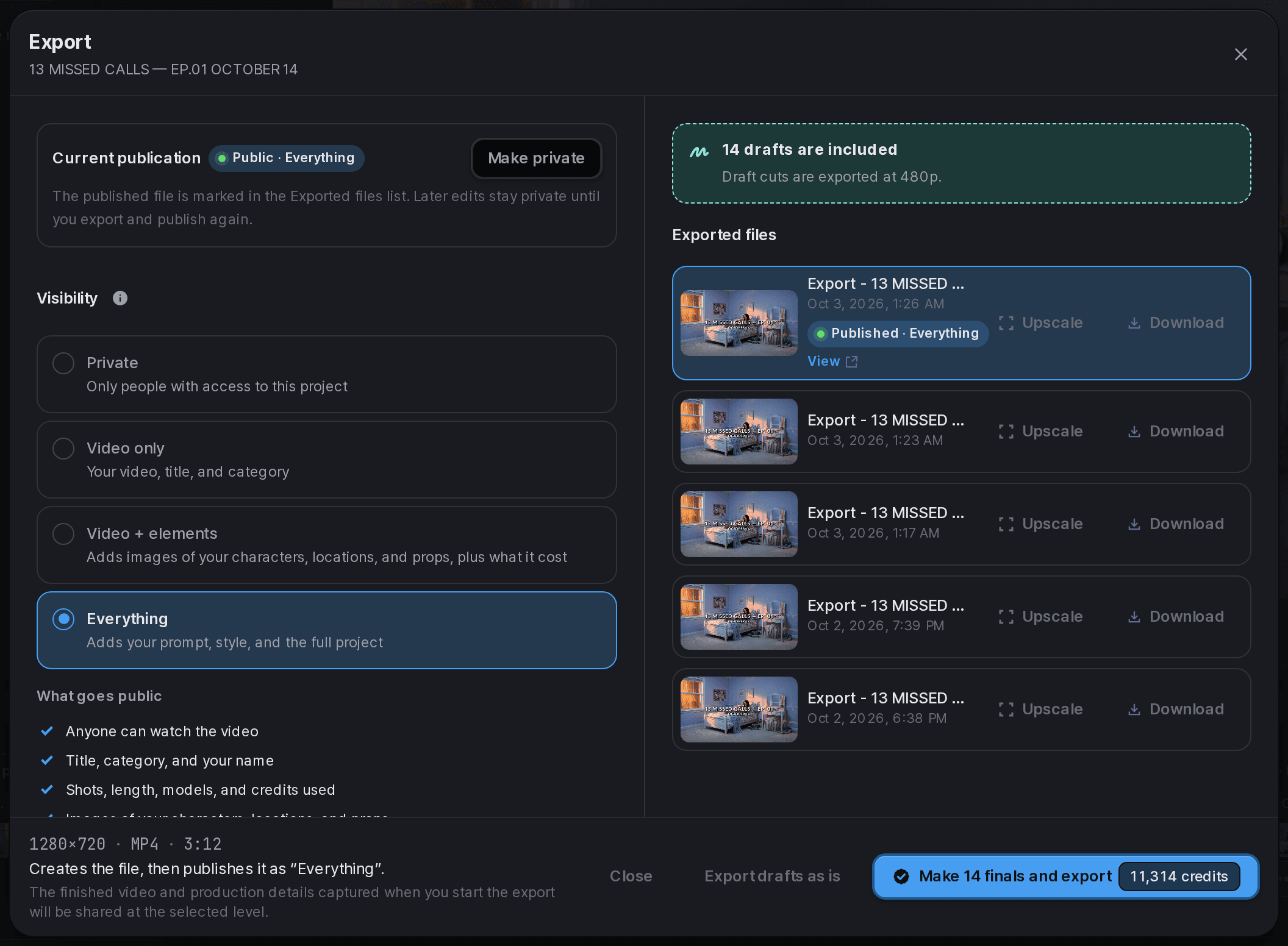
Review the estimate for this request
Check the model, operation, result count, and settings before confirming generation. An estimate is for that request; changing its inputs can change the amount.
If an estimate expires or the price changes, review the new amount before continuing. Use the current product display rather than a price copied from an old screenshot.
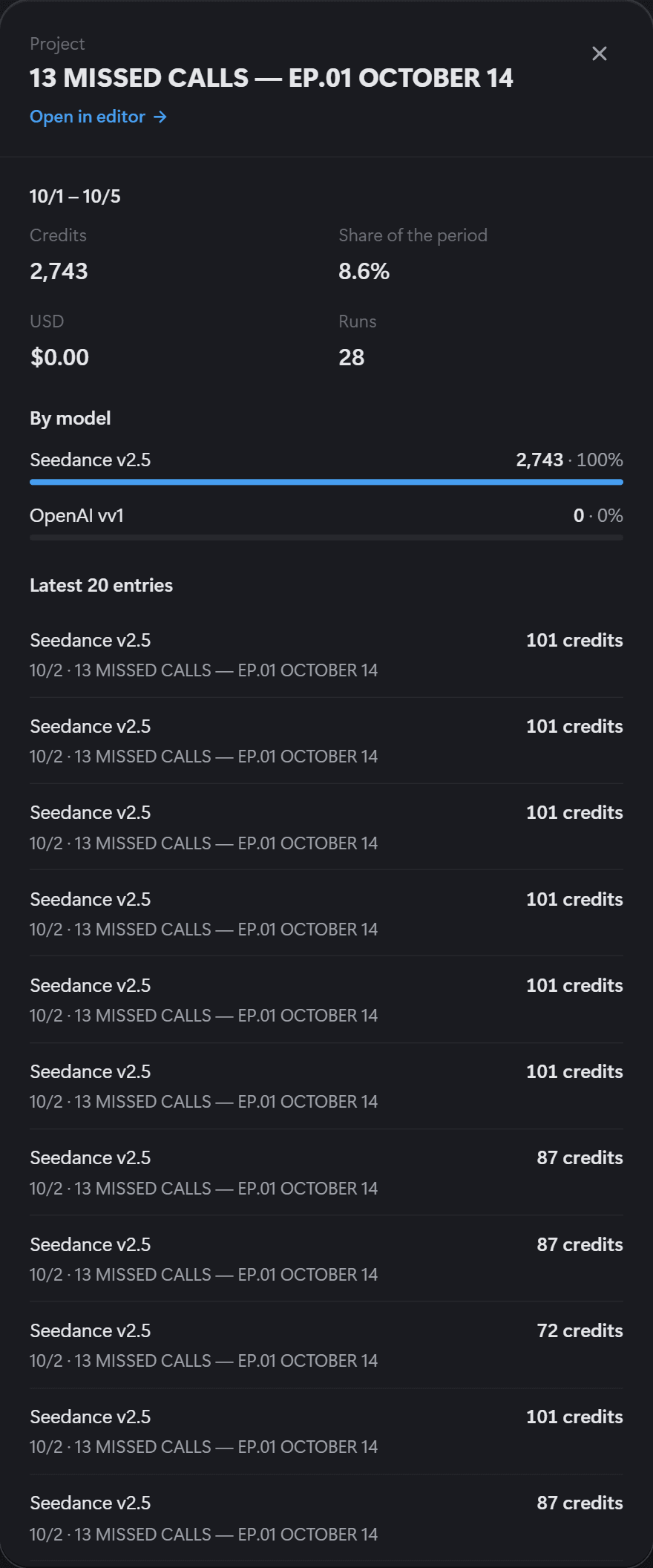
Check credit usage for your project
Use the credit overview and Usage screen for the active workspace. Project settings can also show the project's credit use and generation count.
An estimate shows expected usage; the usage record shows credits actually used or returned. A team member's recent usage is not the team's remaining balance.
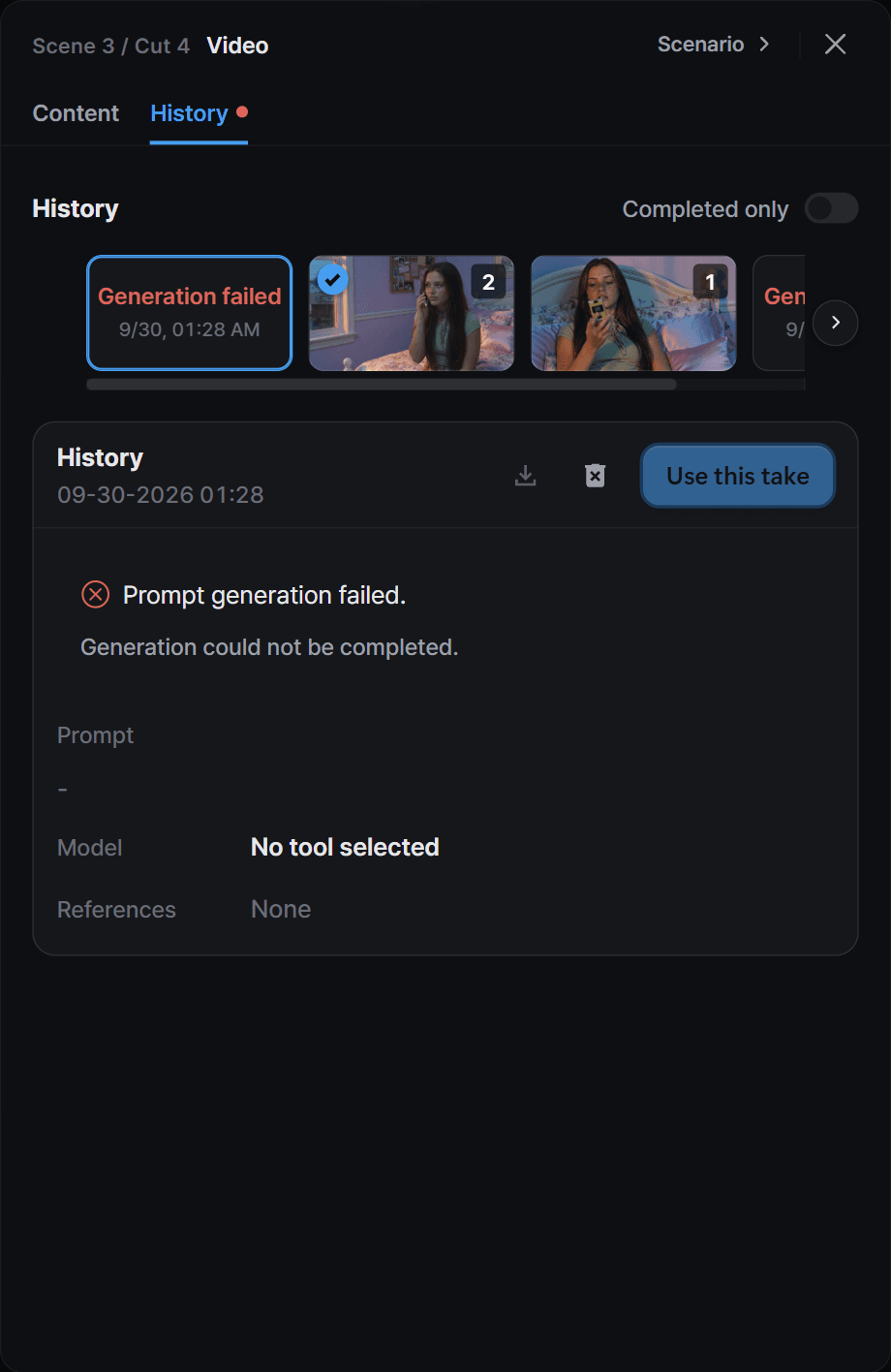
Read the failure before trying again
Open the failed generation's history to read its reason and check the credit refund status, if shown. Correct missing inputs, unsupported settings, or policy issues before retrying.
If the result is still pending, do not assume it failed and submit duplicates. Keep the request information available when asking for help, but do not publish account details or private prompts.