
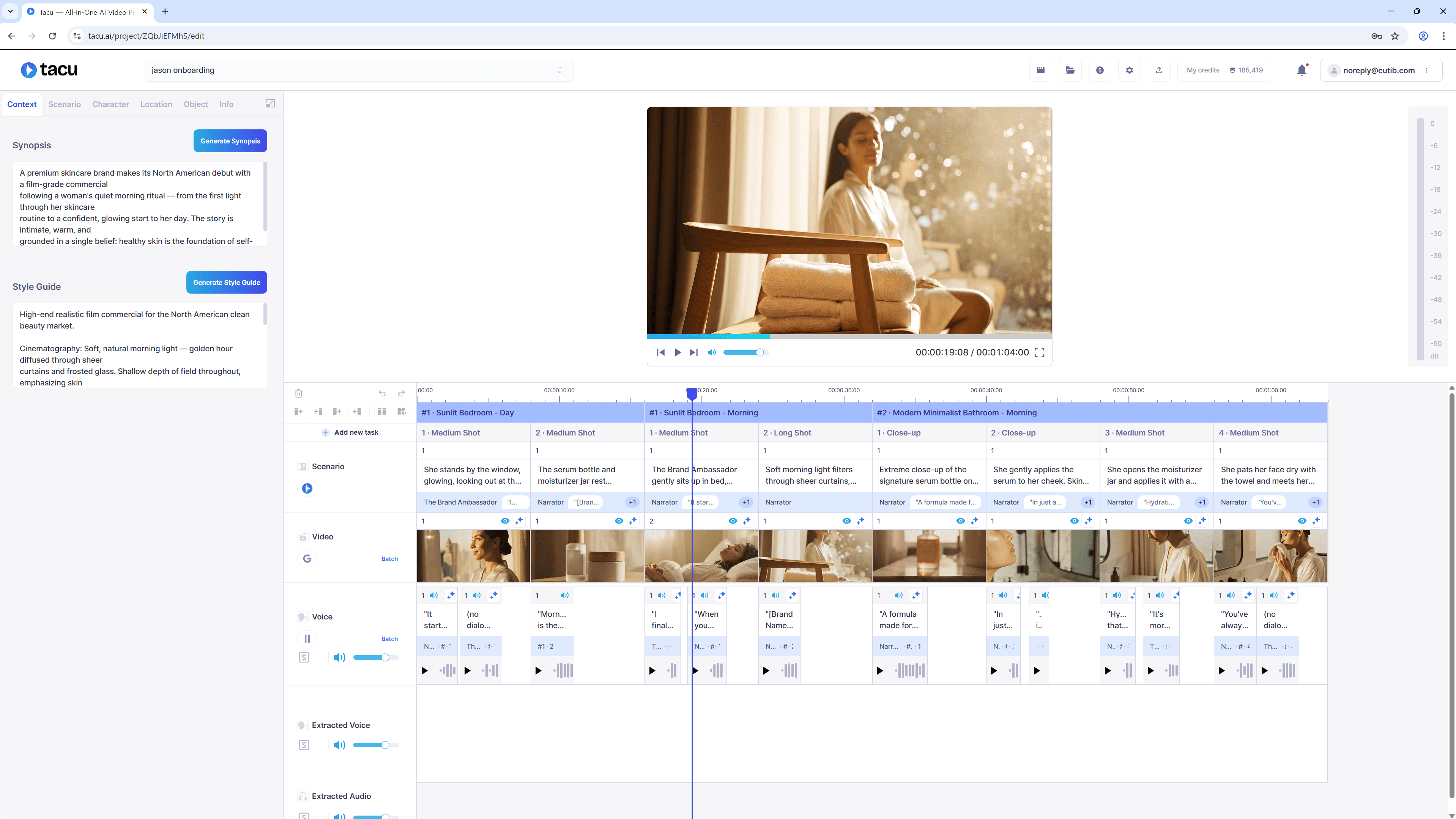
The working idea
- Plan the story as Scenes and Cuts before judging isolated generations.
- Keep the visual facts of the project—people, outfits, places, and objects—close to the work that uses them.
- Compare generated versions, select what belongs in the sequence, and continue editing on the timeline.
- Review supported AI usage and cost by project and period in Budget Management rather than relying on a fixed price claim in this article.
- Tacu prepares structure and media tasks; the creator still owns the brief, selection, pacing, and final approval.
Generation is one part of the job
An AI video rarely becomes usable at the moment a clip appears. A creator still has to decide what the clip is for, whether it belongs next to the previous one, which visual details should carry forward, where dialogue or sound belongs, and what needs to be changed before export.
When each result lives on its own, those decisions drift into prompt documents, download folders, and chat threads. The problem is not only finding a better prompt. It is keeping the story and the media attached to the same production plan.
Tacu approaches that work as a project. It connects the Scenario and Scene/Cut structure, characters, locations, objects, multiple supported AI models for image, video, voice, and music work, version history, the currently selected result, and the timeline. At project start, Tacu can structure an input Story into a draft Scenario, Scenes, and Cut-level plan for review. It also supports writing generation prompts. The creator can then compare or revise the result where it belongs instead of rebuilding the surrounding context in another tool.
Budget Management shows usage and cost by project and period for supported AI work. That gives the team a project-level record without turning a changing tool price or credit multiplier into a fixed promise in this article.
Start with a brief that can survive production
For the example in this series, imagine a 20-second introduction for a sculptural desk lamp. There is one protagonist, a designer; two locations, a studio and a reading corner; and one object that must remain recognizable throughout the video. The ending should leave room for a short line of text added during editing.
That is more useful than asking for “a beautiful lamp video.” It establishes the subject, duration, story movement, recurring visual facts, and finish. Those constraints give the scenario something to organize and give the reviewer a basis for accepting or rejecting a result.
The first project draft is not the final creative decision. Read the scenario and ask whether each Scene has a distinct job. In this example, the studio introduces the object and the action of turning it on. The reading corner proves that the same design can carry into a different setting. If those jobs are unclear in text, generation will not make them clearer by itself.
Review the plan before asking for more media
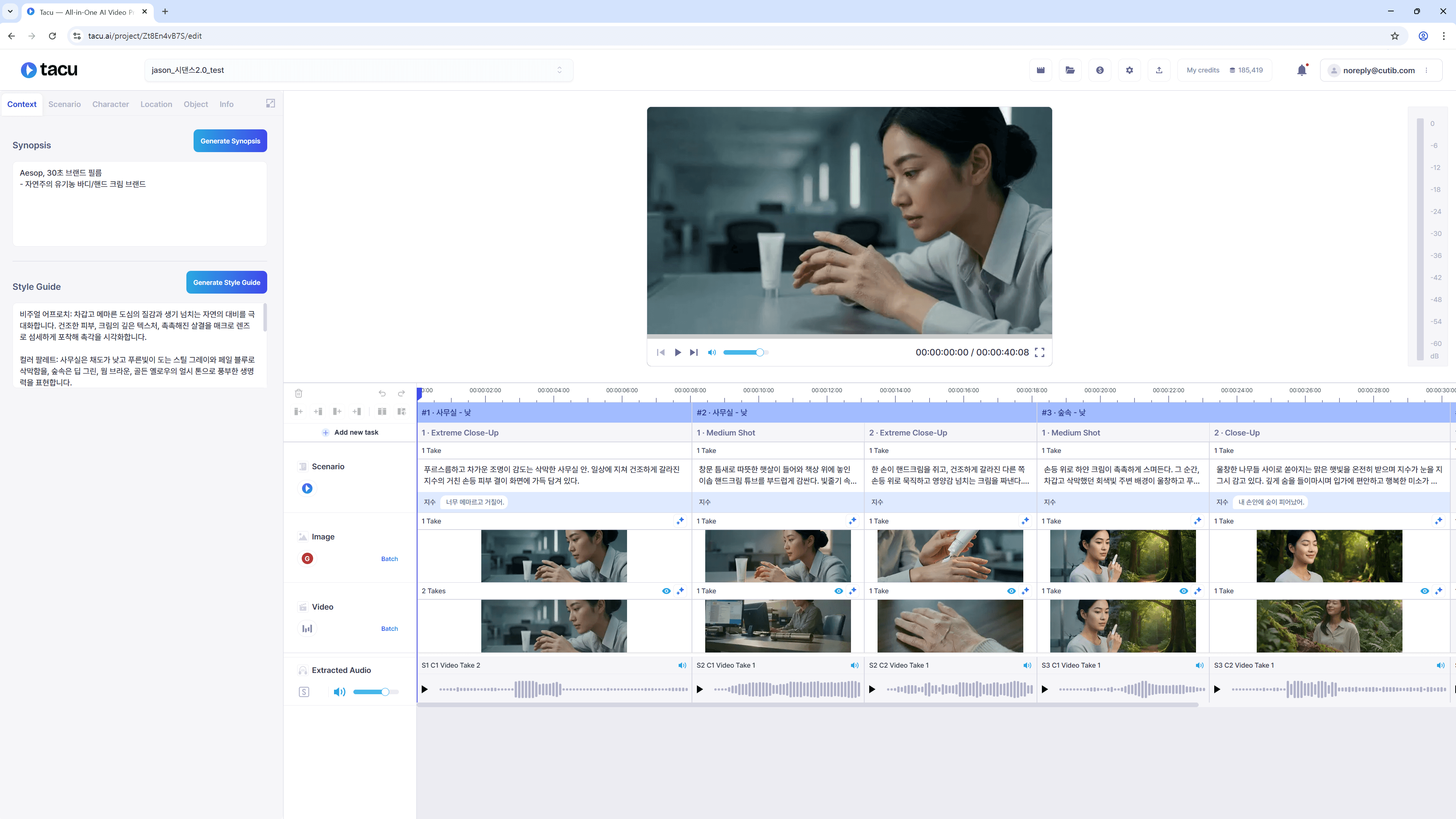
Within each Scene, Cuts turn the story into smaller production decisions. The six-Cut plan begins wide, moves closer to the lamp's form, shows the change in light, moves to the second space, returns to the protagonist, and ends on the product silhouette.
At this stage, the useful questions are editorial:
- Does every Cut contribute information that the neighboring Cut does not?
- Is the protagonist doing one readable action at a time?
- Have we recorded which details must remain the same after the location changes?
- Is the final composition leaving enough space for text in the edit?
Making these decisions early does not remove experimentation. It gives experimentation a clear place. If a close view of the lamp is unnecessary, remove it from the plan before generating and reviewing several versions of it.
Treat people, places, and objects as production context
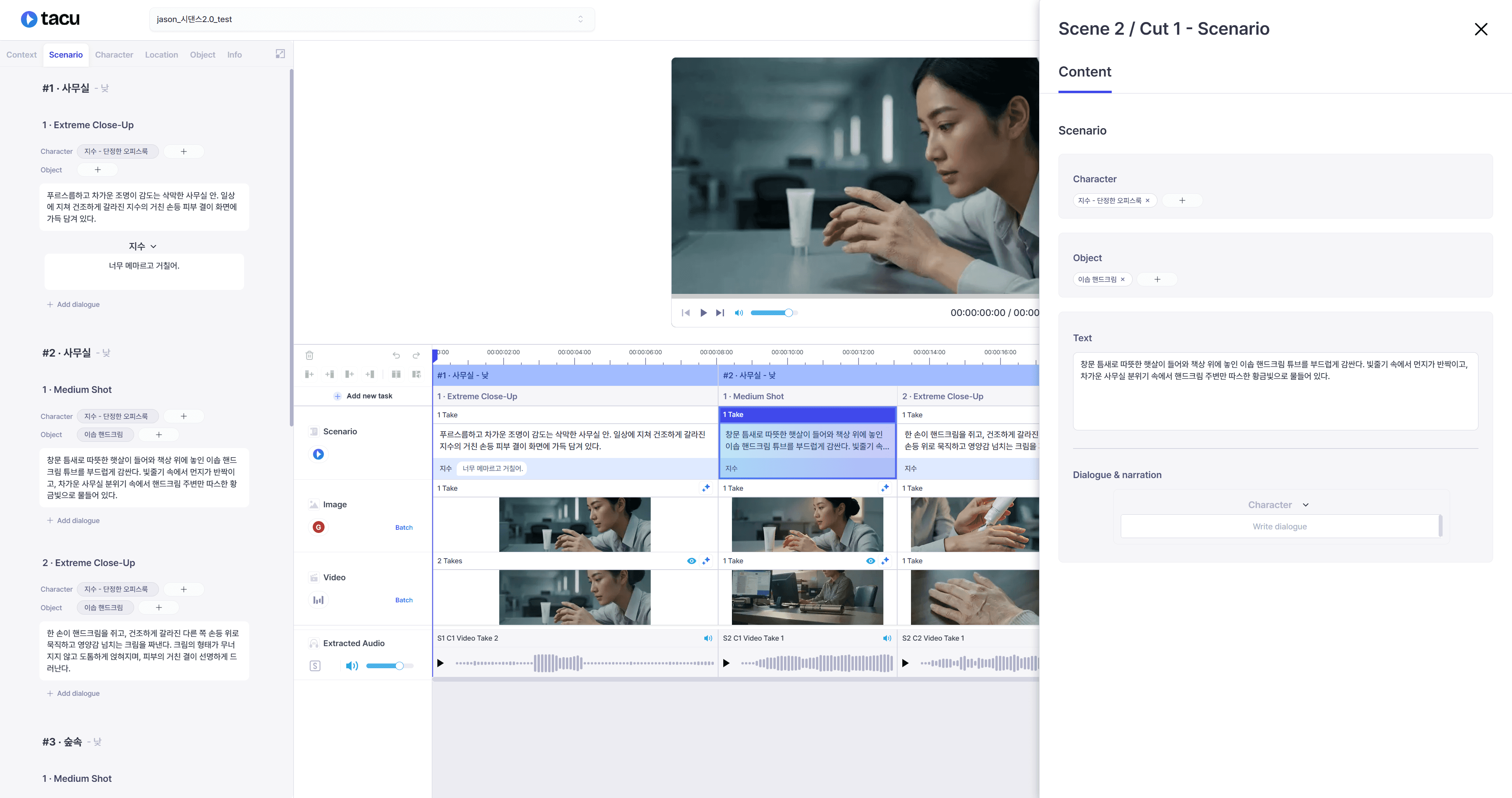
The lamp campaign needs more than a scenario. The protagonist's appearance and outfit, the lamp's shape and finish, and the two locations are recurring visual facts. Tacu lets the team review these project assets alongside the scenario before continuing into the editor.
That distinction matters. A character description explains who belongs in the story. A selected appearance or outfit gives the production a visual reference to return to. A location describes the space. An object record keeps the lamp from becoming an unnamed detail inside six unrelated prompts.
None of these inputs guarantees that every generated frame will match. They make the intended facts explicit, which makes differences easier to see and correct. The creator still decides which asset version is suitable and whether a result belongs in the Cut.
Compare versions in the context of the Cut
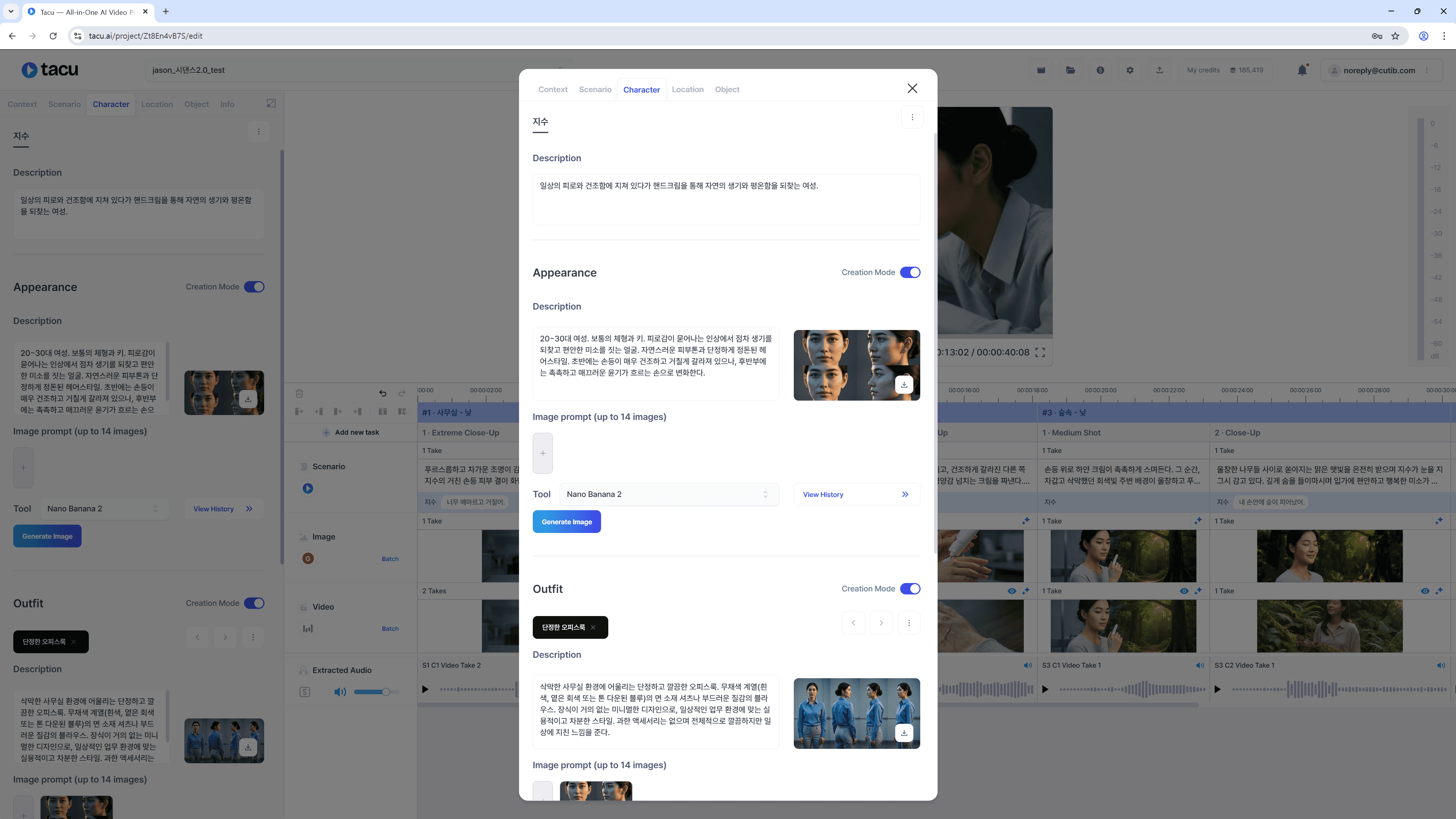
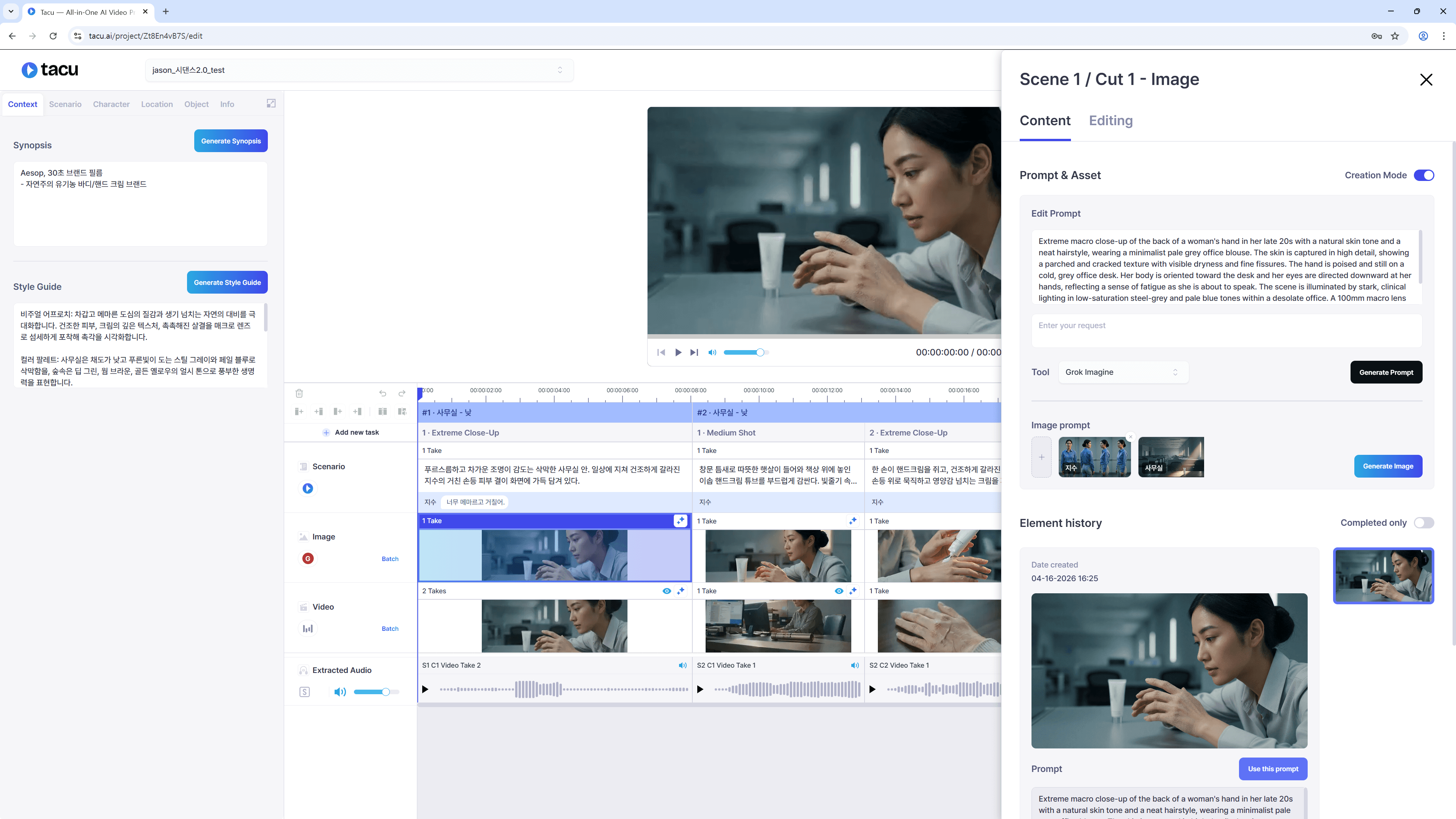
The first plausible image is not automatically the right image. A version may preserve the lamp but change the outfit. Another may keep the protagonist but flatten the distinctive curve of the light. The important question is not “Which image is best?” in isolation. It is “Which version serves this Cut and still fits the project?”
Generation history makes that comparison possible without relying on memory. Review the available versions, select the one that should represent the current direction, and refine or regenerate when the mismatch is significant. The selected result becomes a clearer reference point for the next production decision; it does not erase the need to inspect the sequence again later.
The timeline is where the project becomes a video
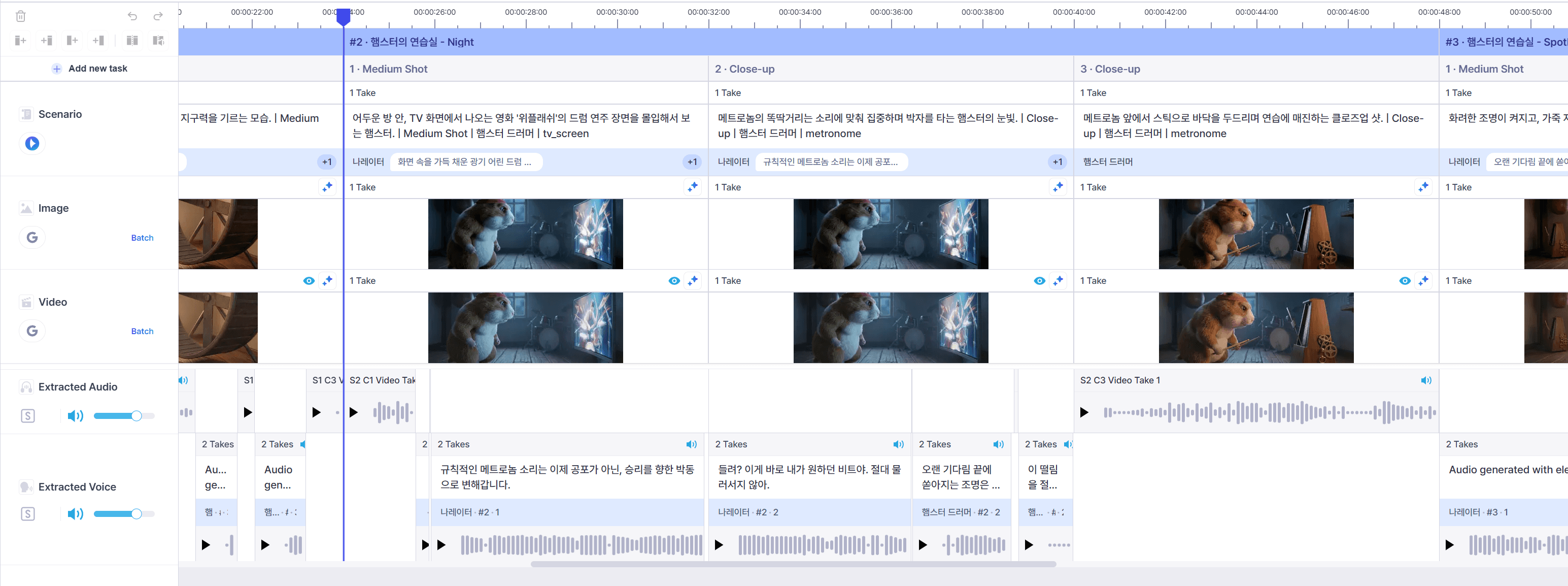
Six individually attractive clips can still make a weak 20-second edit. Motion may repeat, the transition between locations may feel abrupt, sound may arrive late, or the closing text may compete with the lamp.
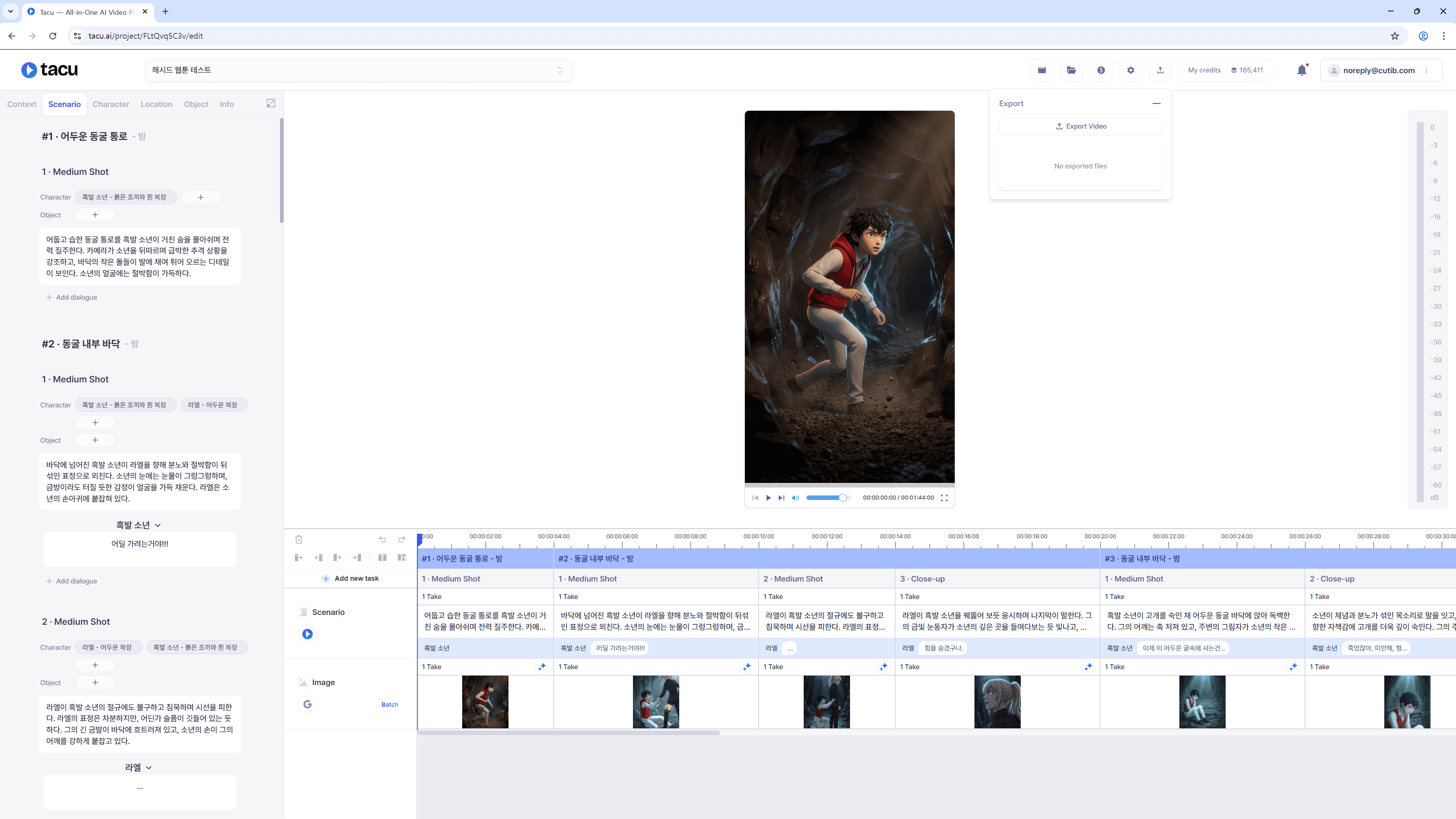
On the timeline, Scenes and Cuts provide the structure while video, voice or audio, music, and text provide the material. This is where the creator can examine order and pacing, place the media that belongs to each Cut, and check the ending as part of the whole sequence. The final review should be made against the brief: same protagonist, same lamp, two readable locations, a clear change from work to rest, and enough visual room for the closing line.
Export is the end of that review loop, not a substitute for it. Once the project contains the media needed for the sequence and the edit has been checked, Tacu can create a completed video for download.
One project, six connected decisions
Define the brief.
Record the audience, intended format, central action, and visual facts that should carry across the video.
Review the scenario.
Make sure each Scene changes the story and each Cut has one readable production purpose.
Prepare the project assets.
Review the protagonist, outfit, locations, object, and the visual versions that will guide later decisions.
Generate and select.
Create media for the relevant Cut, compare its history, and keep the version that fits both the Cut and the surrounding sequence.
Edit the sequence.
Arrange video, audio, and text on the timeline; review the transitions and pacing against the original brief.
Export after the final review.
Check the complete sequence, then create and download the finished video.
| Decision | Tacu keeps together | The creator decides |
|---|---|---|
| Story | Scenario, Scenes, Cuts, and dialogue | What the audience should understand and what to remove |
| Visual context | Character, outfit, location, object, and selected asset versions | Which details must remain stable and which version is acceptable |
| Generated media | Cut-related tasks, results, and history | What to keep, refine, regenerate, or reject |
| Edit | Scene/Cut order and video, audio, music, and text material | Pace, emphasis, transition, and final approval |
| Delivery | A project export and completed download | Whether the finished result meets the brief |
Where Tacu fits—and where judgment still matters
Tacu is most useful when a video has more than one Cut and the team needs to carry decisions from planning into generation and editing. It gives related work a shared structure and makes review less dependent on scattered files.
The same structure applies beyond a product campaign. Short narrative, animation, and drama-like projects also need multiple Scenes and Cuts, recurring people and places, and production decisions that remain attached to the edit.
It does not make every generated result consistent, choose the strongest creative direction on its own, or remove the need for a final edit. Model behavior and available controls can also change. That is why this article avoids fixed generation limits and treats every selected result as a decision to verify in context.
The practical difference is simple: the first generation is no longer the whole project. It is one piece of an editable production.