EN

Language

  • English
  • 한국어This translation is not published yet
  • 日本語This translation is not published yet
EN

Language

  • English
  • 한국어This translation is not published yet
  • 日本語This translation is not published yet

How to Keep Characters and Locations Consistent in AI Video With References

Define the visual facts that should survive from Cut to Cut, prepare a small reference set, and compare each generated version against the same continuity checklist.

Tacu team

Tacu object editor showing a selected reference and its generation history
On this page
  1. Consistency is a list of decisions, not a style word
  2. Choose a reference for what it proves
  3. Build the asset set before multiplying results
  4. Select an image version; do not rely on the last one generated
  5. Review continuity at the transition, not only inside a frame
  6. A continuity review you can repeat

Consistency is a list of decisions, not a style word

“Keep everything consistent” sounds clear until the first two Cuts disagree. The protagonist's face may be recognizable while the jacket changes. The room may keep its warm color while the window, desk, and scale shift. The lamp may remain blue but lose the curved light element that makes it the same object.

Before choosing references, write down what continuity means for this project. In the fictional lamp campaign, the list is deliberately short:

  • one adult designer with the same dark bob and navy work jacket;
  • one matte cobalt lamp with a low round base and a thin curved light element;
  • a late-afternoon studio with a steel desk and tall north-facing window;
  • an evening reading corner with a cream chair, walnut side table, and warm wall;
  • no visible logo or printed brand name.

These are not generation guarantees. They are acceptance criteria. A version can be attractive and still be wrong for the project if it breaks one of the facts the next Cut depends on.

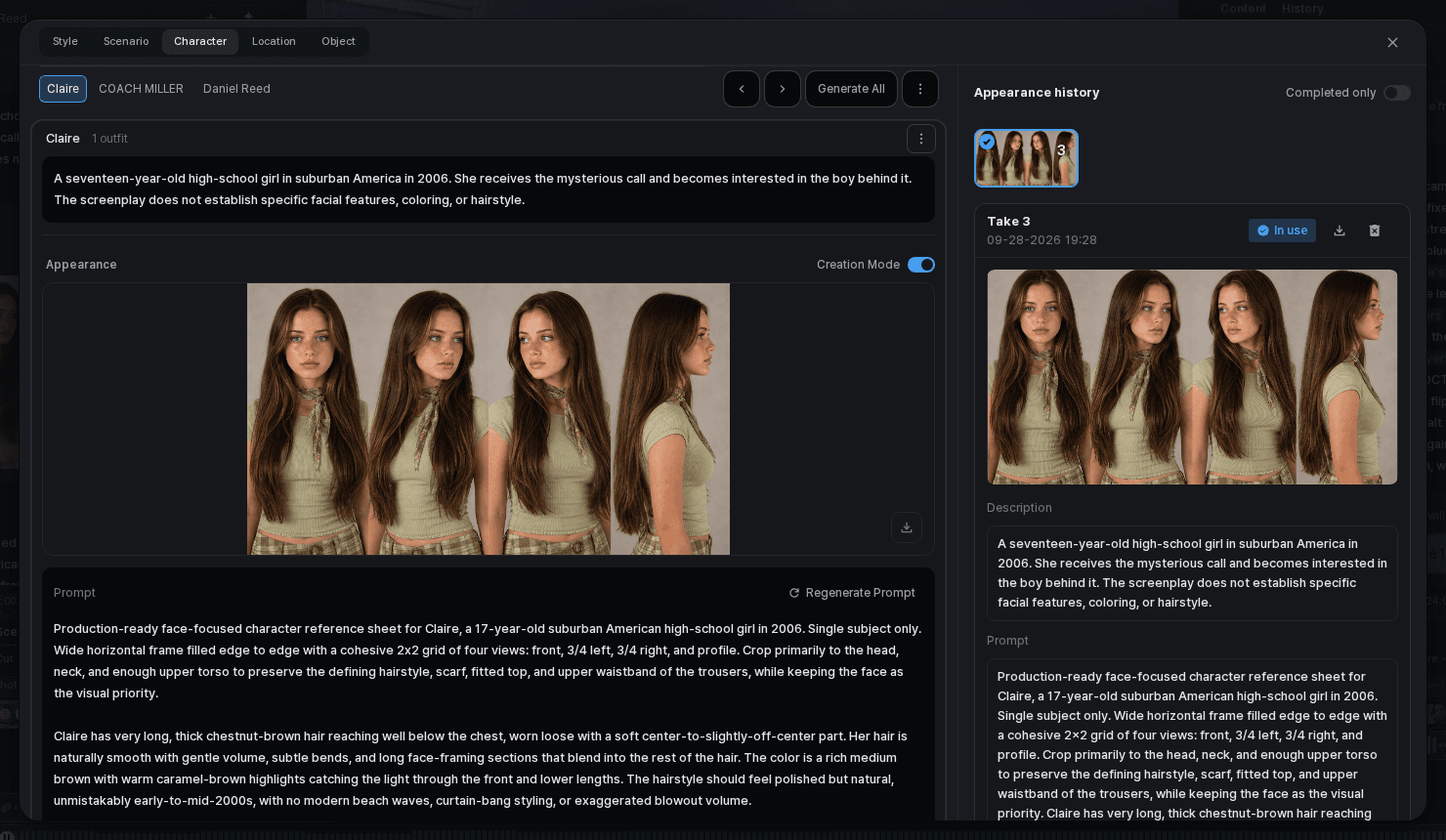
Tacu character editor showing a selected appearance and outfit
Keep a character’s appearance and outfit with the project for reuse across Cuts.

Choose a reference for what it proves

A useful reference makes one decision easier to inspect. A character reference should show the features that matter for recognition. An outfit reference should make color, silhouette, and key details readable. A location reference should explain layout and recurring anchors, not simply communicate “warm mood.” An object reference should reveal the shape that distinguishes the lamp from a generic one.

Adding many images is not the same as adding clarity. Two references that disagree about hair, clothing, room layout, or product shape leave the reviewer without a single standard. Start with the smallest set that describes the facts you have chosen to keep.

What each reference should help a reviewer verify
ReferenceKeep visibleWeak referenceReject a version when
CharacterFace shape, hair, age range, and other recognition cues approved for the projectThe face is obscured, heavily stylized, or shown only at an extreme angle.The person no longer reads as the same protagonist.
OutfitColor, silhouette, material, and one or two distinctive detailsMost of the garment is cropped or the lighting hides its color.The outfit changes without an intentional story reason.
LocationLayout, scale, light direction, and recurring anchorsA mood image with no clear spatial relationship between elementsThe space becomes a different room when the story has not moved.
ObjectOverall silhouette, proportions, material, and defining featureA detail crop that does not show the complete formThe lamp loses the curved light element or changes into a different design.

Build the asset set before multiplying results

For the lamp project, the protagonist needs one approved appearance and one outfit. The lamp needs a clear object version. Each of the two locations needs enough context to recognize it again. Tacu keeps Character, Outfit, Location, and Object information with the project, so these decisions can be reviewed alongside the scenario rather than rediscovered in every Cut.

Give each asset a plain purpose. “Designer — continuity appearance” is easier to discuss than “portrait option 4.” “Cobalt arc lamp — approved object form” explains why the image matters. The name is not a prompt trick; it keeps the team from choosing a visually interesting alternative that quietly changes the project.

Then connect the facts to the Cut plan. Cut 1 needs the designer, outfit, lamp, and studio. Cut 2 primarily tests the lamp's defining shape. Cut 4 changes the location while preserving the lamp. Cut 5 brings the protagonist and outfit back into the second space. A reference is useful only when the reviewer knows which continuity decision it is helping to check.

Select an image version; do not rely on the last one generated

Image history is part of the editorial process. Suppose one version of Cut 2 preserves the lamp shape but makes the cobalt base nearly black, while another keeps the color but thickens the curved light element. Neither should be selected just because it was created later.

Compare the available results against the object criteria and against the neighboring Cuts. Select the version that best represents the current direction. If the mismatch is local, refine the image or generate another version rather than changing the approved character, location, and object set all at once.

The selected image is a project decision, not proof that every later result will match it. Keep the reference board and continuity list available when reviewing the video versions owned by each Cut. Look for the same protagonist, outfit, lamp form, and location anchors as the sequence plays.

Tacu image generation panel with prompts, references, result history, and a selected image
Compare image versions in the context of the Cut before selecting one.
Tacu image editor with crop, transform, selection, brush, and eraser controls
Open a selected result in the image editor for a focused adjustment.

Review continuity at the transition, not only inside a frame

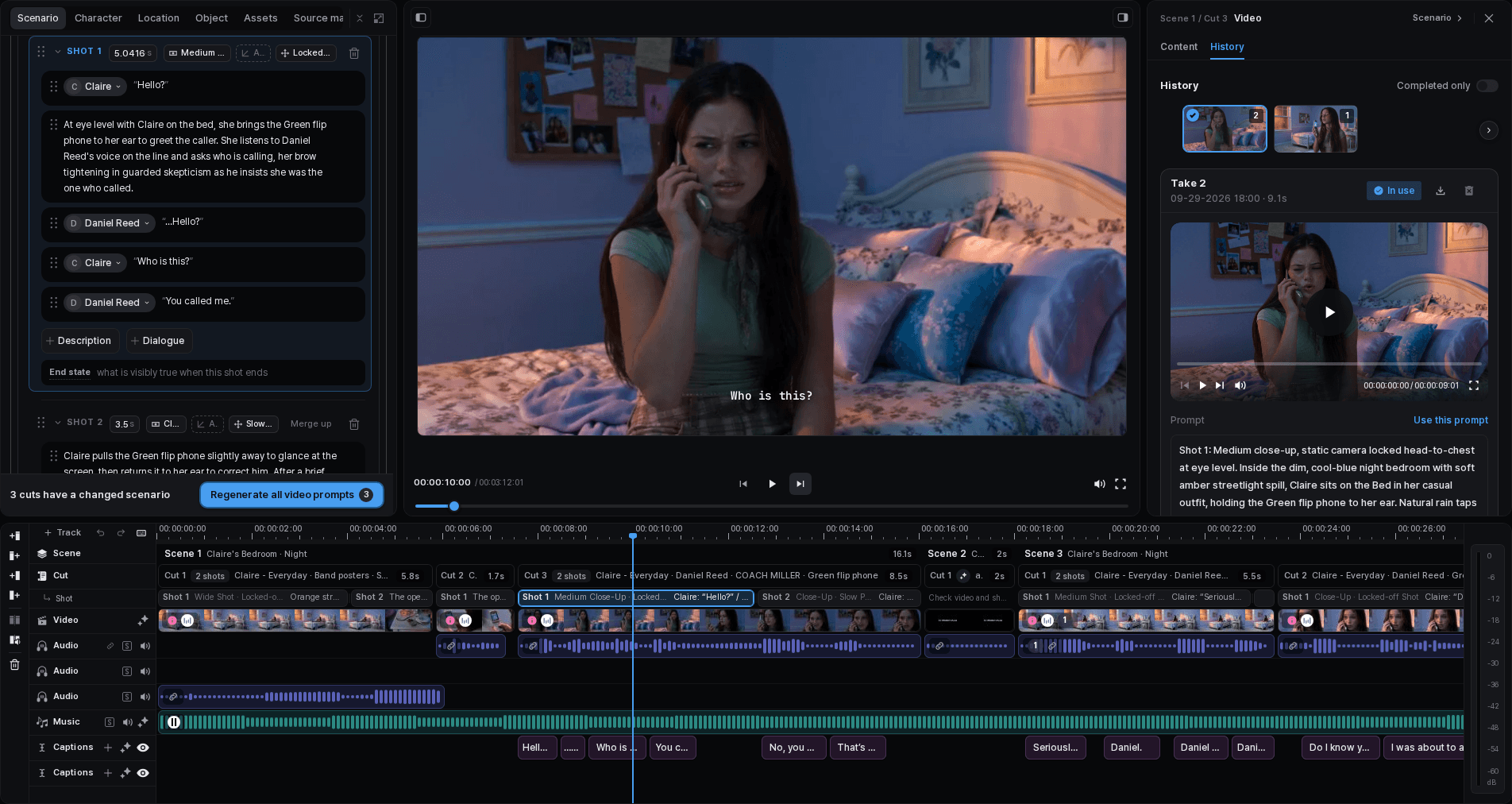
Most continuity problems become obvious when two Cuts are viewed next to each other. The lamp may look acceptable in both but jump from left to right without an intended edit. A room can contain the same furniture but feel unrelated because its scale or light direction changes. The protagonist can keep the same clothing while hair length shifts between moments.

For this campaign, the critical transition is Cut 3 to Cut 4. The location is supposed to change, so sameness is not the goal. The lamp's form and the protagonist's identity should carry forward; the environment and time of day should not. Reviewing the transition with that distinction avoids two opposite mistakes: accepting accidental drift or flattening every Scene into the same look.

Play the sequence, pause around the boundary, and record the exact mismatch. “It feels different” is not actionable. “The lamp base changes from low and round to tall and square” tells the editor which asset or generated version to inspect.

Tacu preview player showing a generated video frame above its complete timeline
Review a generated frame together with the sequence that surrounds it.
Fix the smallest layer that explains the mismatch
What changedInspect firstAppropriate response
A defining character, outfit, location, or object fact was never specifiedProject asset and continuity listClarify and approve the missing fact before reviewing more versions.
The project asset is correct but one image version driftsImage history for that CutCompare, select, refine, or replace the local image result.
Images work individually but adjacent Cuts conflictScene/Cut order and transitionDecide whether to replace a version, revise the Cut, or make the change intentional.
A video version changes an important visual factVideo history for that Cut and the same continuity criteriaCompare available versions and replace the local selection when a stronger one exists.
The entire second Scene no longer serves the briefScenario and Scene purposeRevise the larger plan before generating more media.

A continuity review you can repeat

  1. Name the invariants.

    Write the few character, outfit, location, and object facts that the audience must recognize later.

  2. Approve a compact asset set.

    Keep references clear, complementary, and free of conflicting visual instructions.

  3. Assign the facts to Cuts.

    Mark which assets and location anchors matter at each point in the sequence.

  4. Compare image history.

    Select a representative version because it meets the Cut and continuity criteria, not because it is the newest.

  5. Review video versions in sequence.

    Check the selected version for each Cut against the same visual facts and against its neighbors.

  6. Describe the mismatch precisely.

    Name the changed feature, the boundary where it appears, and whether that change is intentional.

  7. Revise the narrowest useful layer.

    Replace a local version before reopening the asset or Scene plan; reopen the plan only when the problem actually belongs there.

What references can and cannot do

References help a creator state and inspect visual decisions. They can reduce avoidable drift by making the intended protagonist, outfit, place, and object less ambiguous. They also make feedback more specific: reviewers can point to the exact feature that changed.

They do not lock every detail across generated media. Motion, viewpoint, lighting, framing, and the behavior of the generation tool can still change a result. More references can introduce conflicts instead of resolving them. A selected version still needs to be reviewed in its Cut and beside the Cuts around it.

The useful goal is not mathematical sameness. It is continuity that supports the story: stable where recognition matters, intentionally different where the Scene changes, and editable when a result drifts.

Keep AI Video Characters Consistent With References